Batch Processing of Injury Metrics
Overview
This batch processing function allows users to calculate multiple injury metrics simultaneously for a selected load test. All available metrics are presented, and the user selects which ones to process.
Batch Processing
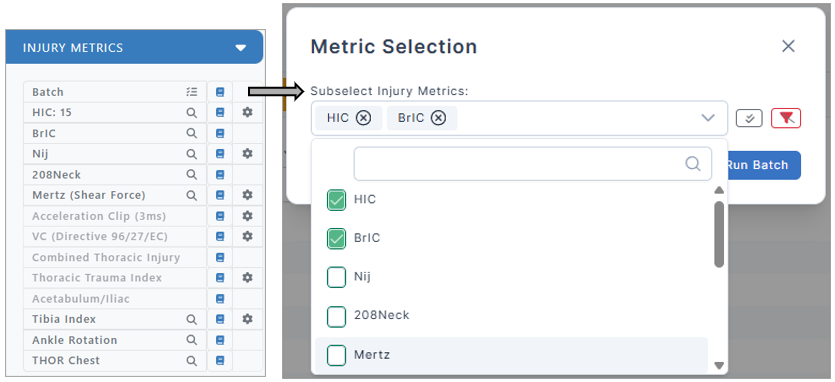
Once a load test is selected, users can access the "Batch" option within the injury metrics section to select any combination of metric tests for computation. This functionality improves efficiency by enabling simultaneous calculation of multiple metrics instead of running them individually.
Example
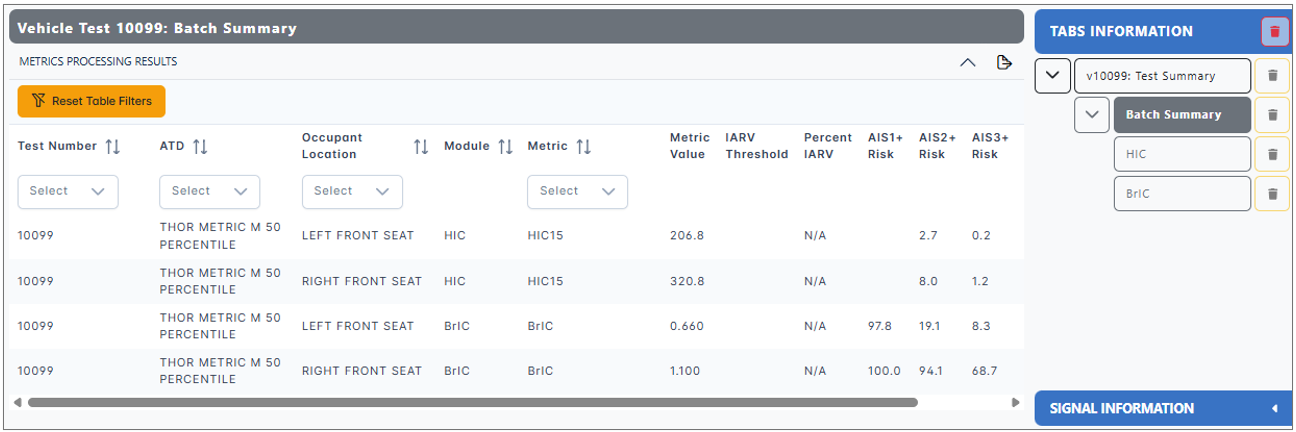
If the user selects HIC and BrIC in the Batch menu, tabs for each chosen metric are generated, allowing users to view the associated calculations and plots. To view a specific metric, navigate between the tabs in the "Tabs Information" section.