Vehicle Checker
Description
Vehicle Checker reviews a loaded vehicle test for missing, inconsistent, or unexpected test information and measurements. Use it as a data-quality aid before you calculate metrics or export a test summary.
When this feature is available
Vehicle Checker becomes available when the active test meets the requirements.
The active test must meet these conditions:
- The loaded test must be a vehicle test.
- Vehicle-test information must be available.
- The test must include at least one channel with a usable data status so WebSAT can associate the test information with the loaded test.
WebSAT enables Vehicle Checker for any successfully loaded vehicle test with the required test information and at least one usable channel. A complete instrumentation set is not required.
Settings
This feature has no settings.
How WebSAT processes the data
- Identify the loaded vehicle-test type and select the matching regulatory or NCAP-style validation rules.
- Check the test classification, identifiers, and required test information.
- Check vehicle definitions, roles, and relationships to the test.
- Check occupant definitions, seating locations, ATD information, and restraints.
- Review instrumentation naming, units, axes, attachments, and channel status.
- Check whether the signal sets needed for relevant injury metrics are present.
- Organize missing, inconsistent, and unexpected data into user-facing findings.
- Report the findings without editing the source test or substituting missing data.
How to interpret the results
This function does not calculate an injury metric or risk probability. A warning identifies a data condition that deserves review; it is not automatically a test failure. Resolve findings using the source laboratory record and the data requirements for the governing test procedure [1] [2].
Results
The results are organized into expandable sections:
- Test Check
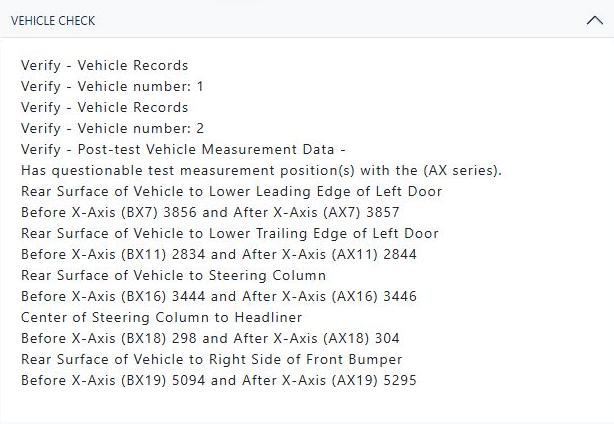
- Vehicle Check
- Occupant Check
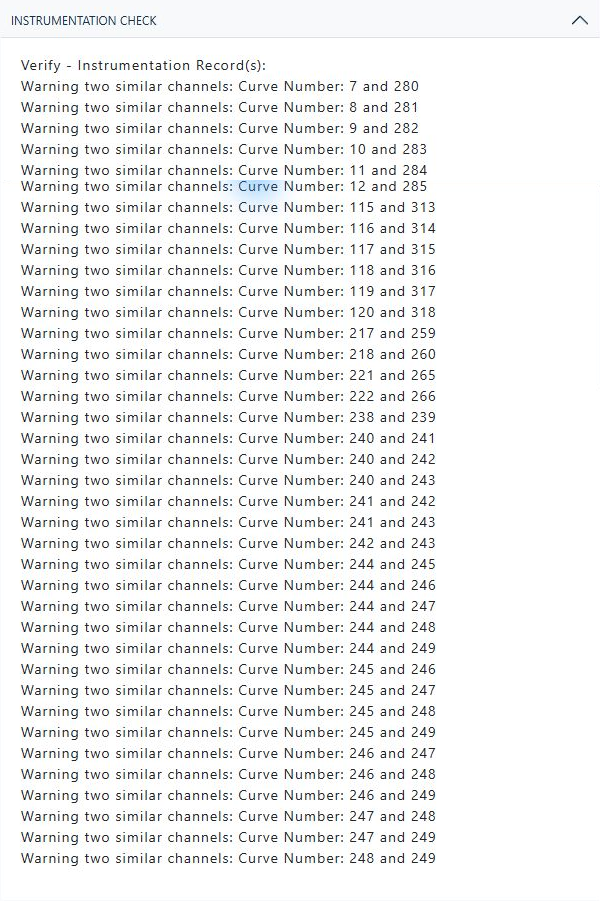
- Instrumentation Check
- Restraint Check
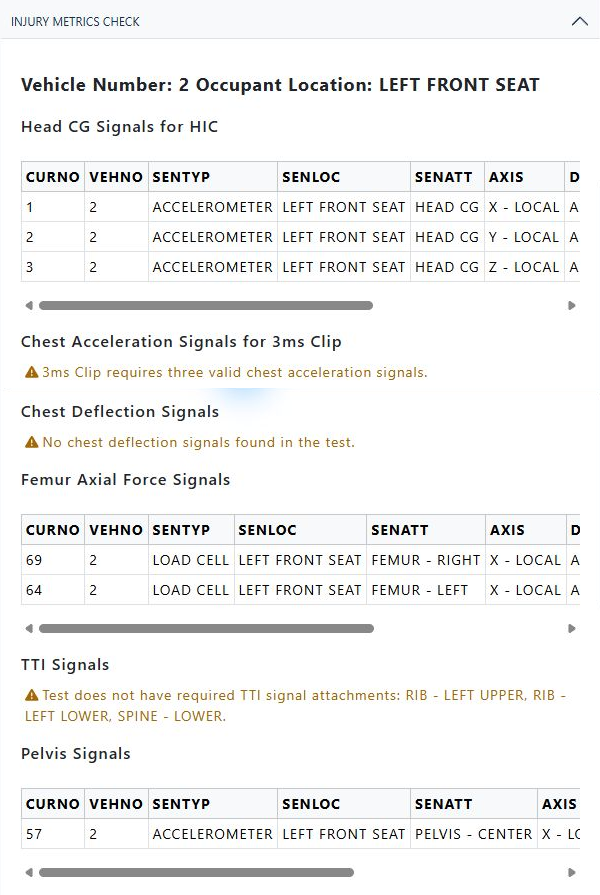
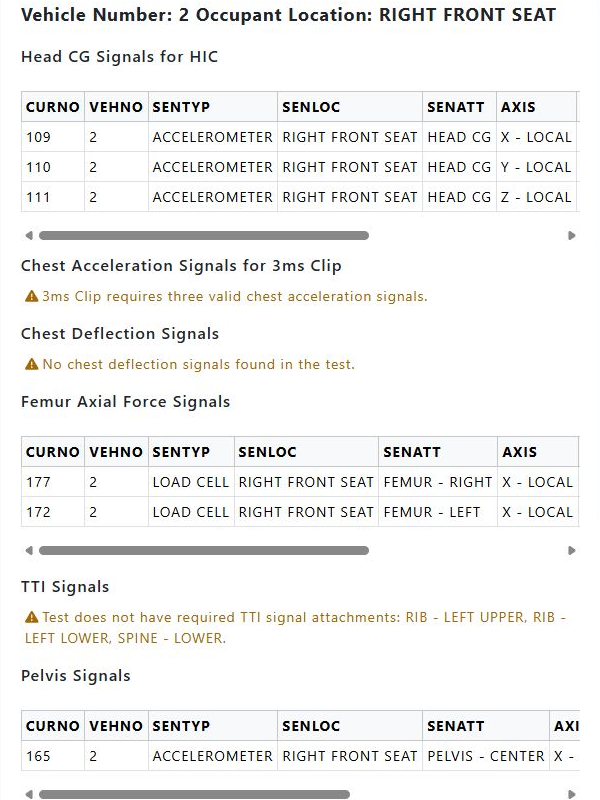
- Injury Metrics Check
The injury-metrics section groups expected signals by occupant and metric and can include channel tables plus explanatory messages. Empty or successful sections help distinguish a complete check from unavailable data.
The following example uses vehicle test 10099. Only sections containing results are displayed.

References
[1] National Highway Traffic Safety Administration. NHTSA Test Reference Guide, Version 5—Volume 1: Vehicle Tests, November 2014.
[2] The regulation, NCAP protocol, or laboratory data dictionary applicable to the loaded test remains the controlling source for resolving a Vehicle Checker finding.